Computer use
Give your AI agents a real computer
Longwave lets Claude Code, Codex, Cursor, and OpenCode work in a dedicated computer. You can monitor what the agent is doing and even control when the agent needs you.
Let the agent work with the live website
The agent can use the browser to open pages, click controls, enter text, and follow multi-step flows. An agent can interact with a web app and check what happens after each action. Use computer use for web research, account-based tasks, or a walk-through of a running product.
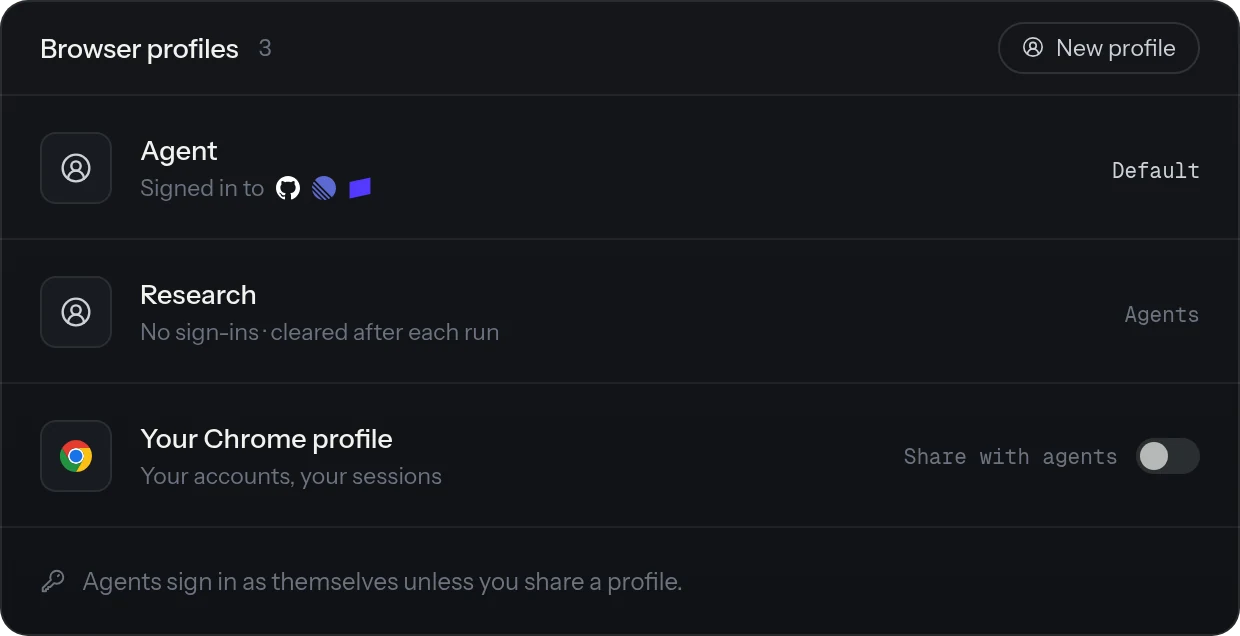
Agents get their own profiles
Longwave lets agents have their own browser profiles to do work. This makes it possible for agents to get stuff done without having to impersonate you. However, you can also allow agents to use your profiles if you would like them to use your accounts to complete certain work.
Watch the browser in Longwave
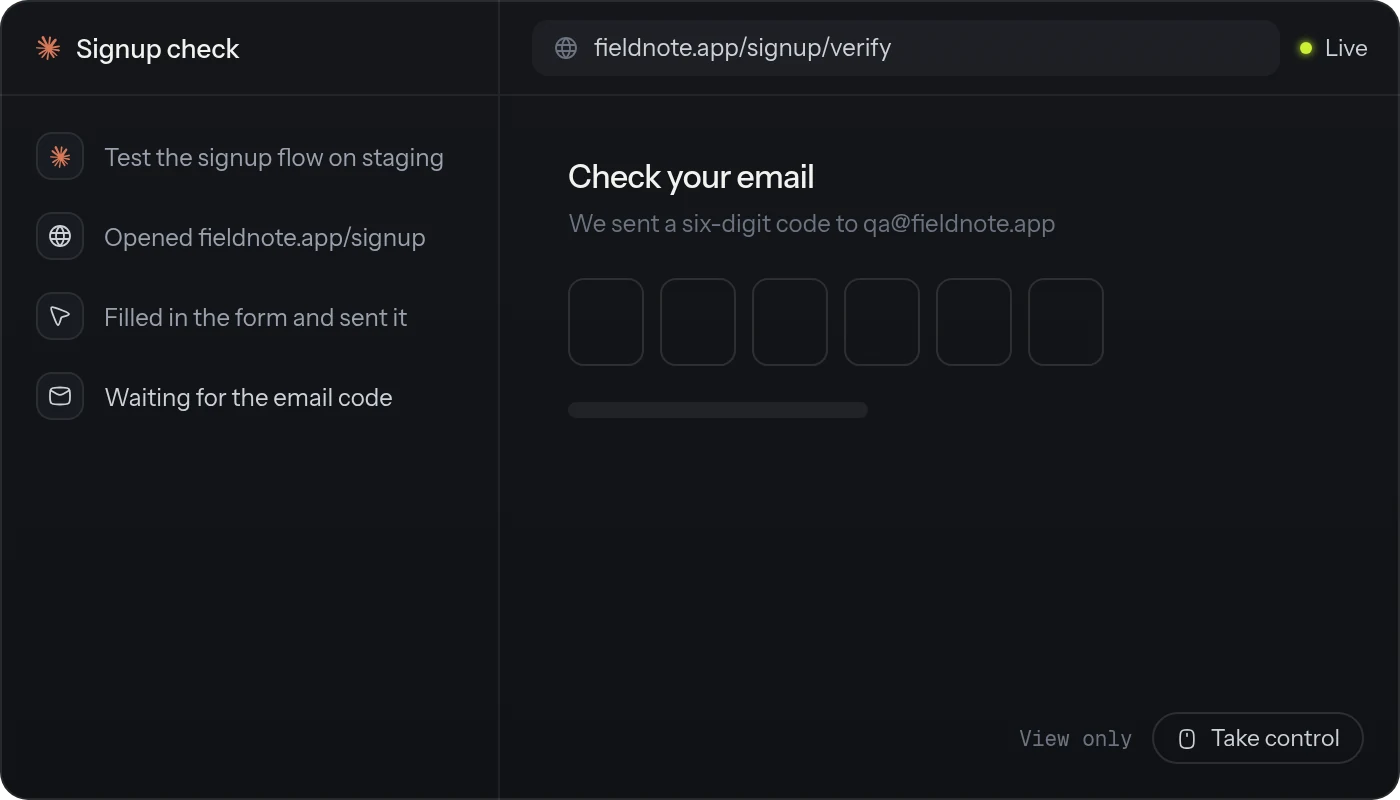
Longwave shows a live browser preview in the same thread where the agent is running. Follow the page as the agent works or just let it do its thing in the background. You can also take over at any time.
Mobile emulators and Electron apps
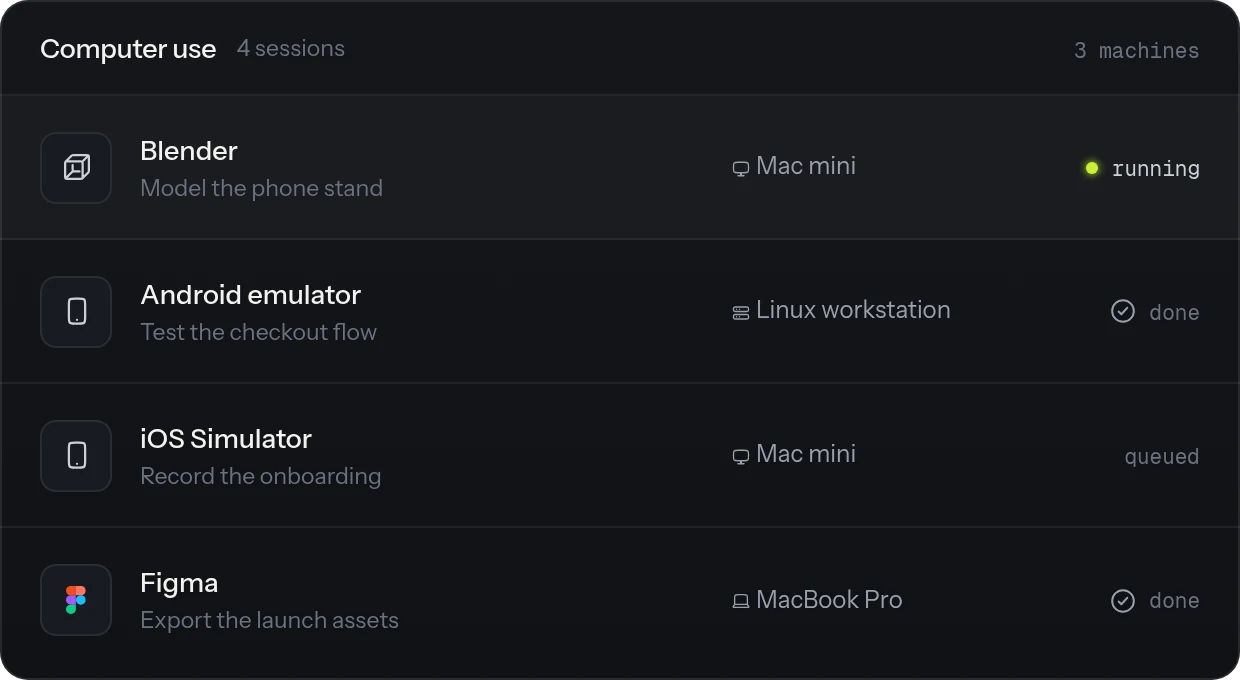
Install the Mobile or iOS Simulator tools from the Longwave marketplace and agents can drive an Android emulator, the iOS Simulator, or a connected phone. They tap, type, and take screenshots to build and test native apps the same way they test a web app. Electron desktop apps run on Chromium, so agents can drive them too with the Chrome DevTools tools from the marketplace.
Questions people ask
What is an AI browser agent?
An AI browser agent uses a browser to navigate pages and interact with websites. Longwave gives your coding agents a dedicated browser profile and lets you follow the session in the same app.
Can AI agents use a real browser?
Yes. Longwave adds browser tools to supported coding-agent harnesses. An agent can open websites, click controls, enter text, and follow a user flow.
Can I watch an AI agent use a browser?
Yes. Open the Browser Use Work Area in the the thread where the agent is using the browser to see a live preview. It stays read-only while the agent controls the session. However, you can take control at any time.
Can I take control of an AI agent's browser?
Yes. When the agent asks for help, choose Take control. Complete the page action, then choose Return to agent.
Can an AI agent sign in to websites?
Yes. Sign in to the required account from the in-app browser and let the agent use that browser profile. You can also use multiple browser profiles if you need to log in to multiple accounts on the same website. If the site needs a one-time code or another human step, the agent can ask you to take control and complete it.
Does Longwave computer use control my whole desktop?
Longwave computer use does not control every app on your desktop yet. It can however control a lot of apps, especially Electron apps.
Can an AI browser agent test a web app?
Yes. Ask the agent to follow a user flow in a running web app and check the result. For repeatable assertions and visual regression checks, use a test tool such as Playwright and ask the agent to create e2e tests.
Is Longwave computer use the same as Playwright MCP?
No. Longwave gives the agent a browser session that the agent uses in real time which you can watch and take over if needed. Playwright MCP is a separate tool thats more suitable for agents to write deterministic end to end tests for applications.
Give agents a computer to use.
Let agents work through websites, desktop apps, and mobile emulators while you stay in control.