Automations
Automate repeatable work on Longwave
Longwave Automations turn repeatable work into deterministic steps which run on a schedule or when triggered with an event. Automate seo research, code audit, application testing, social media trend analysis and so much more with Longwave Automations.
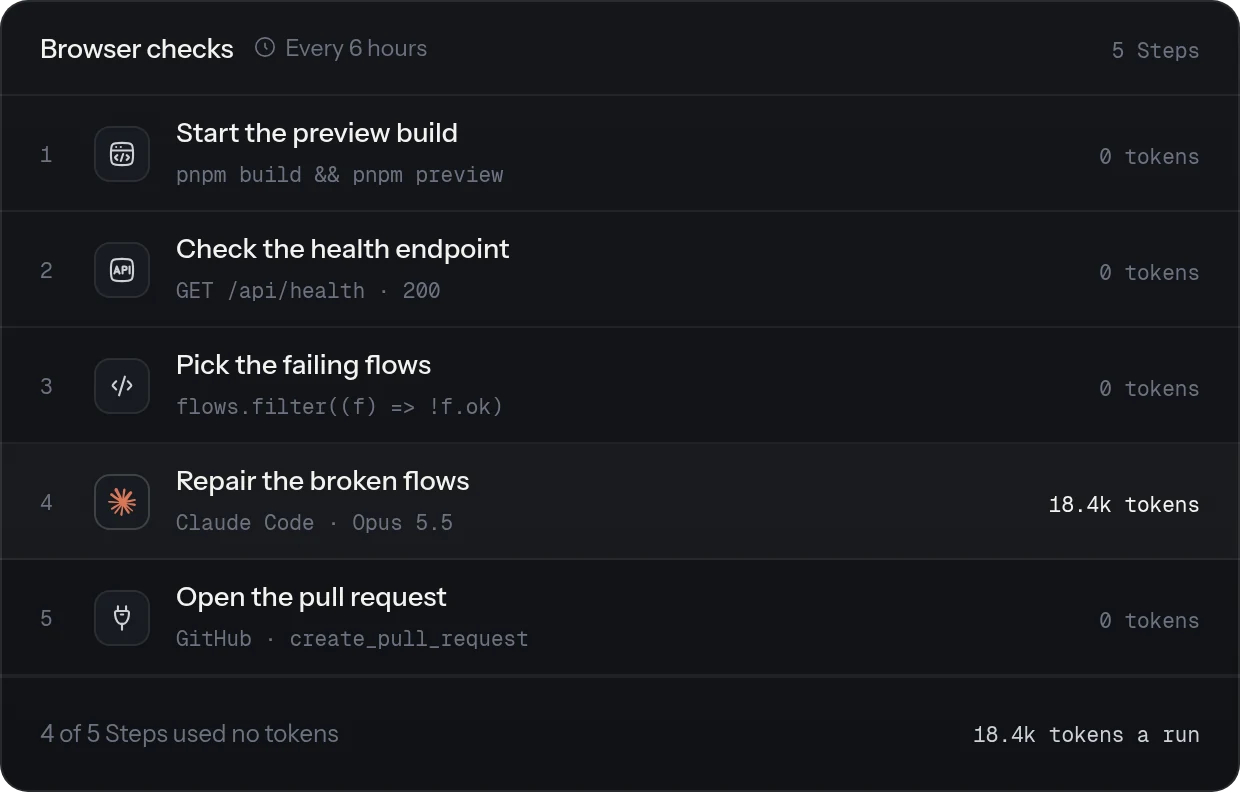
Deterministic tasks shouldn't burn tokens
Shell commands, JavaScript, HTTP requests, and connected tools can handle predictable work without an AI agent call. Add an agent step for work that needs context or judgment. For the rest of it, you can add deterministic steps with code or connectors that dont need to burn tokens.
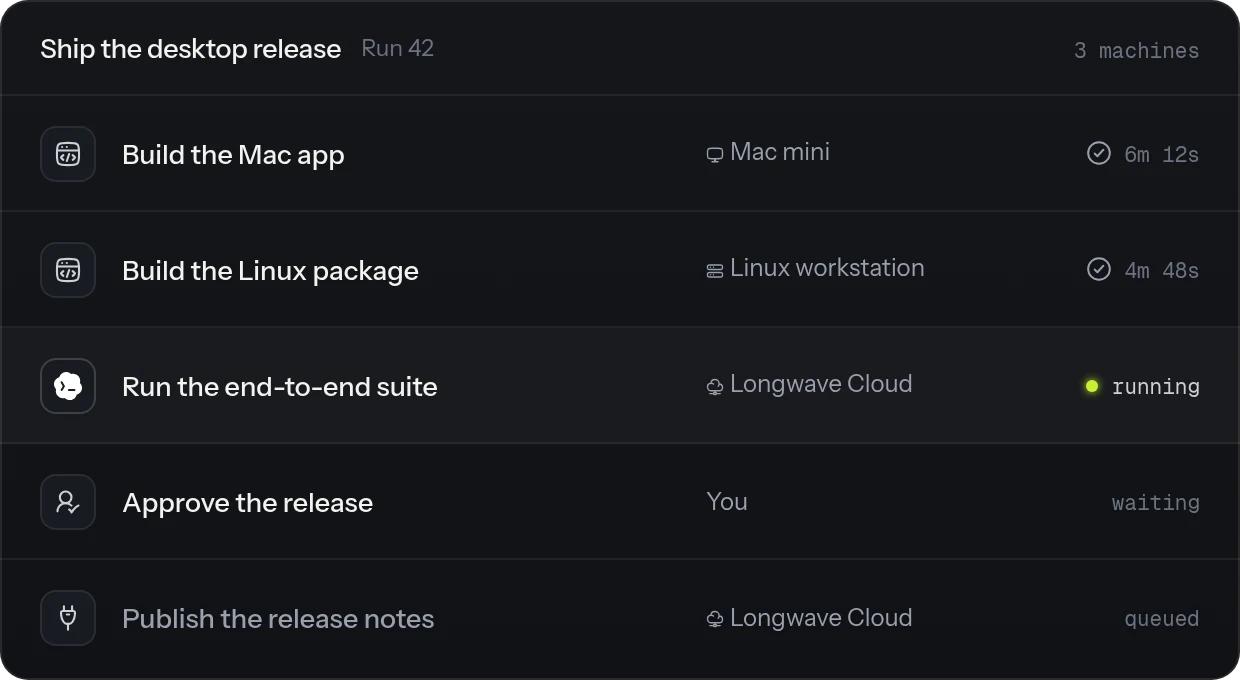
Create workflows that span devices
Set action steps to run on the machine that has the files or tools they need. This lets one Workflow combine work across your connected machines. Keep each target machine online while its steps run.
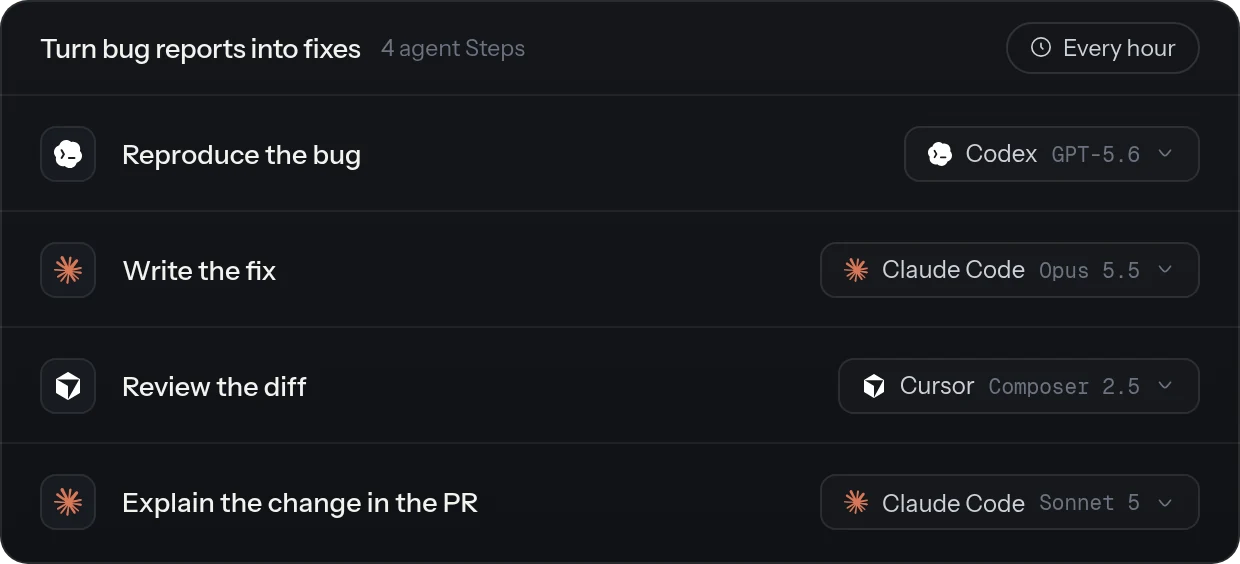
Use any agent on any harness
Choose the harness and model for each agent step. Longwave supports Claude Code, Codex, Cursor, and OpenCode, so you can use the right agent setup for each task in one Workflow.
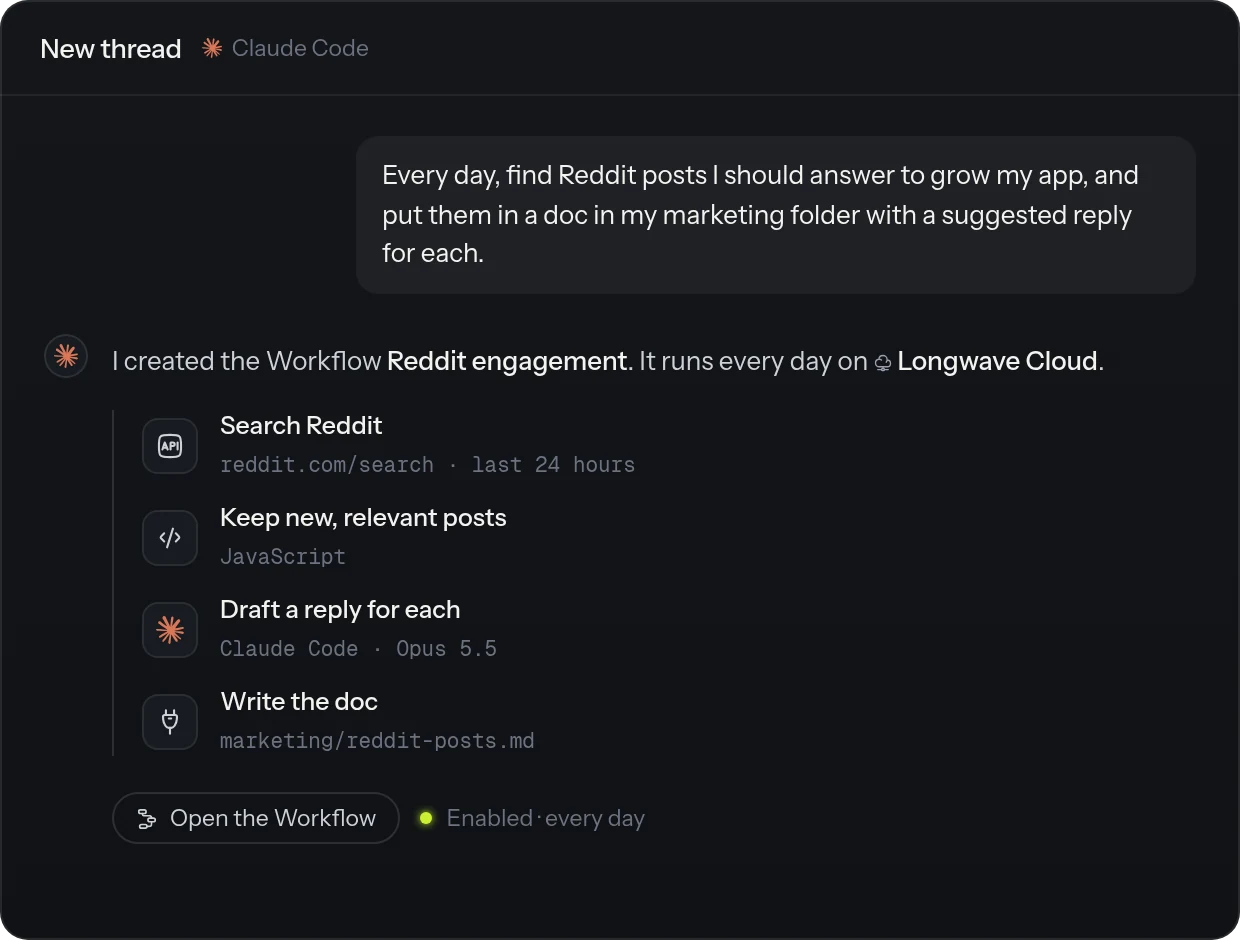
Create with your agent
Describe the outcome in plain words, and your agent builds the Workflow. Agents in Longwave know which Steps, schedules, and harnesses a Workflow can use, so one request can hand a fix to Claude Code, wait for your approval before a commit, and keep the test run as a plain shell Step. You don't need to learn a builder UI.
What to automate
Some examples to help you create your first workflow
-
Build a feature from a feature request
Have agents build a feature, run the tests, and prepare a pull request for review right when your users send you a feature request.
-
Turn a bug report into a tested fix
Automatically, listen to bug reports and fix them. Reproduce the problem, trace it and verify the fix with relevant tests. Then, create a PR and let your agent sit through it until its reviewed and merged.
-
Review a pull request
Inspect the diff and send in PR comments.
-
Test a web app and repair broken flows
Run scheduled browser checks, investigate failures, update the application, and file a PR.
-
Resolve customer support requests
Check product docs and code and write a clear reply to your customer queries automatically.
-
Research SEO opportunities
Compare search terms, competitor pages, search trends and create a brief for yourself. You can also have a second workflow to draft the pages based on the research and have it ready to go.
-
Turn product updates into social posts
Create viral social media launch posts from your release notes or directly from code!
-
Monitor trends on social platforms
Schedule your workflow to show you whats trending across social media platforms. You can even push this to give you actual content ideas based on your product or company to jump on these trends.
-
Check what your customers are discussing
Monitor Reddit, Hackernews and other forums and learn what your users are saying about. Social listening at scale!
-
Research prospects and write tailored outreach
Find useful context about potential customers, write a personal email, and send it out after your approval.
-
Turn meeting notes into completed follow-ups
Complete work in real time in the background while your meeting is still on. Finish tangible things during the meeting and replace the need for taking meeting notes for "work that needs to be done".
Questions people ask
What is an AI agent workflow?
An AI agent workflow is a repeatable sequence of steps that uses an AI agent for work that needs context or judgment. Other steps can run commands, scripts, web requests, or connected tools. Longwave Automations let you combine these steps and define how work moves between them.
Can AI agent workflows run on a schedule?
Yes. Run a Workflow manually or enable an interval schedule. The machine that owns the Workflow starts scheduled runs while it is online.
Do Longwave Automations run if I close the app?
Yes. Workflows run even if you close the app as they are created on Longwave Cloud by default. However, you have the option to create workflows that strictly run on your own machine. In such cases, your machine needs to online. Some workflows may also have steps that are dependent on your other connected machines. Make sure these are online as well for the workflow to not get stuck mid-run.
Can I add human approval to an AI workflow?
Yes. Add an approval step where a person needs to review the next action. The Workflow pauses until you approve or reject it. The approval stays pending if you close the app.
What can an automated Workflow do?
A Workflow can run an AI agent, a shell command, JavaScript, an HTTP request, or a connected MCP tool. It can also check conditions, repeat steps within a limit, or run branches in parallel.
Can a Longwave Automation run code?
Yes. Add a shell step to run a command or a JavaScript step to run a script. You can pass their results to later steps in the Workflow.
Where do Longwave Automations run?
Longwave Automations run on the Longwave Cloud by default, however, you can explicitly set it to run on your machine if you would like. This is specifically relevant if the workflow depends on steps that involve sensitive data or environment variables that you would like to keep on your local machine.
What happens if my machine goes offline?
The Workflow cannot start scheduled runs while your machine is offline. When the machne restarts, Longwave can show you the missed runs and you can trigger them manually if you would like.
Stop doing the same work twice.
Describe it to your agent once. Longwave turns it into a Workflow that runs on schedule and stops only for your approval.