Cloud agents
Run agents across many devices
Longwave runs agents on the machines you own and on Longwave Cloud. Choose a device when you start a thread to run agents on that device and continue working from your desktop, web or phone.
One interface for many machines
Connect the devices where you want to run agents. Longwave brings threads from all your connected machines into one app, so you can work without having to constantly switch context. Threads can be started and continued on any connected device from the web, desktop or mobile app.
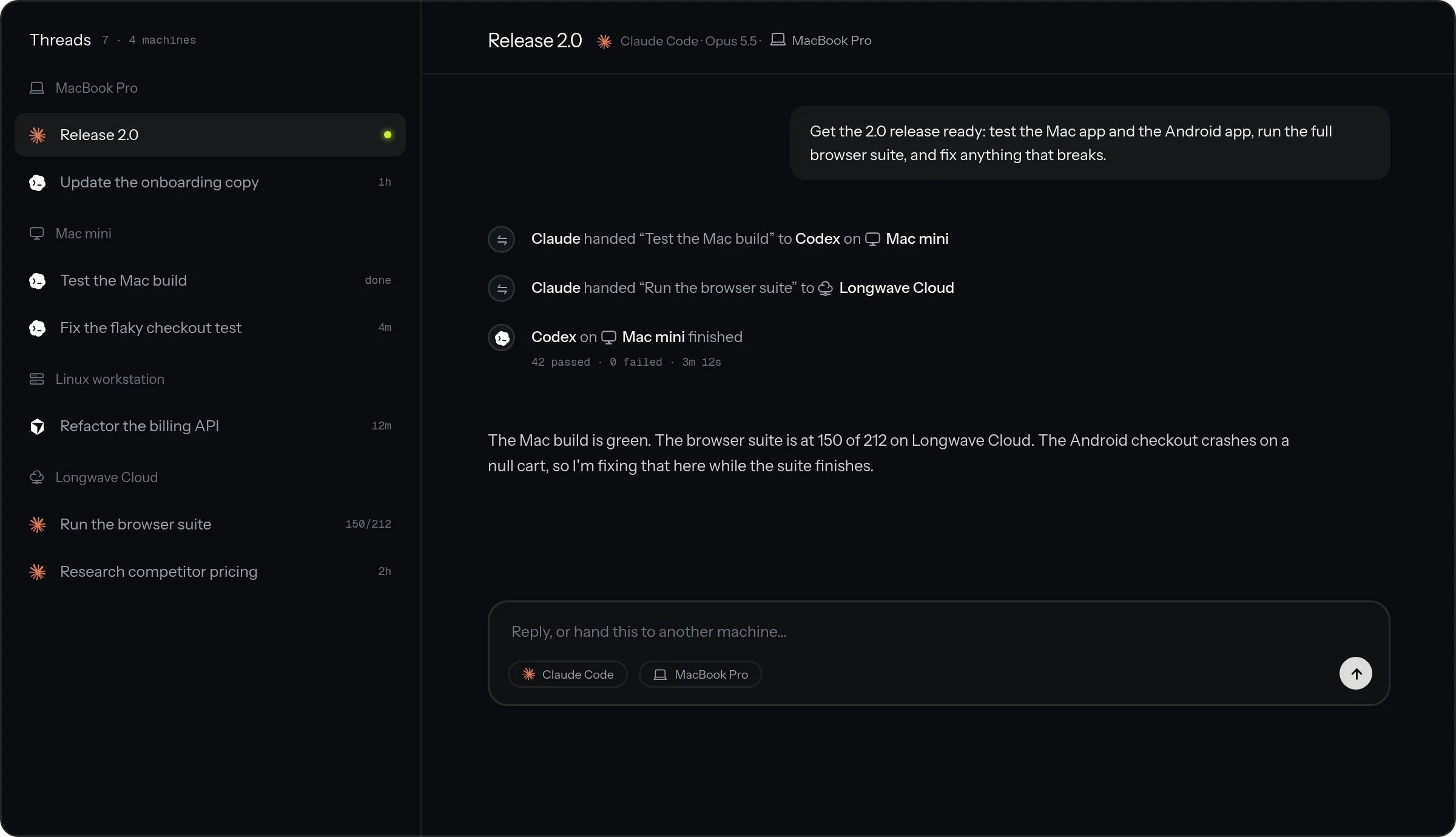
Agent orchestration across machines
Run agents on the device that fits their work. Keep interactive development work on your primary workstation while longer research or browser use tasks on a different machine or Longwave Cloud. Agents, on Longwave, can even offload work to another device during their turn or delegate work to another agent on a different machine. This lets agents accomplish things like OS specific app testing and device load management with the least amount of friction. In other words, your agents are no more bound by the hardware they were started on.
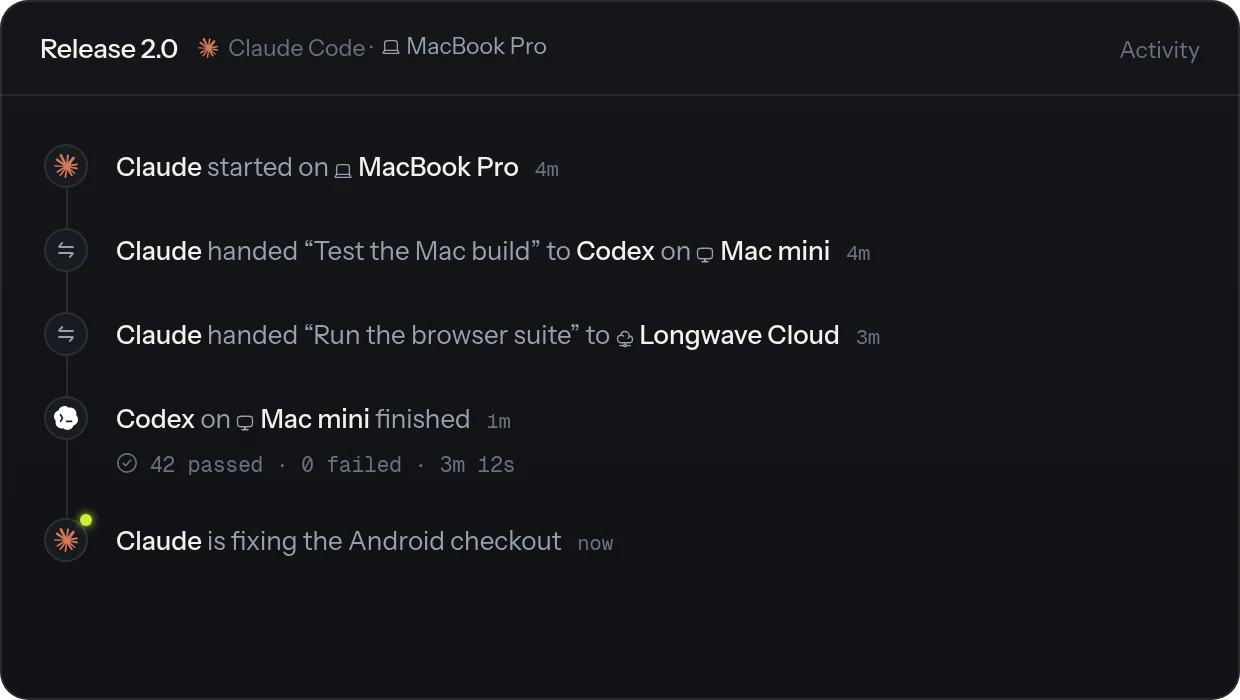
Scale up your work seamlessly
Add capacity as your work grows. Start on a device you already own and as your workload gets heavier and more complex, start running agents that need more resources on another connected device. Choose Longwave Cloud when you want hosted capacity without setting up another device.
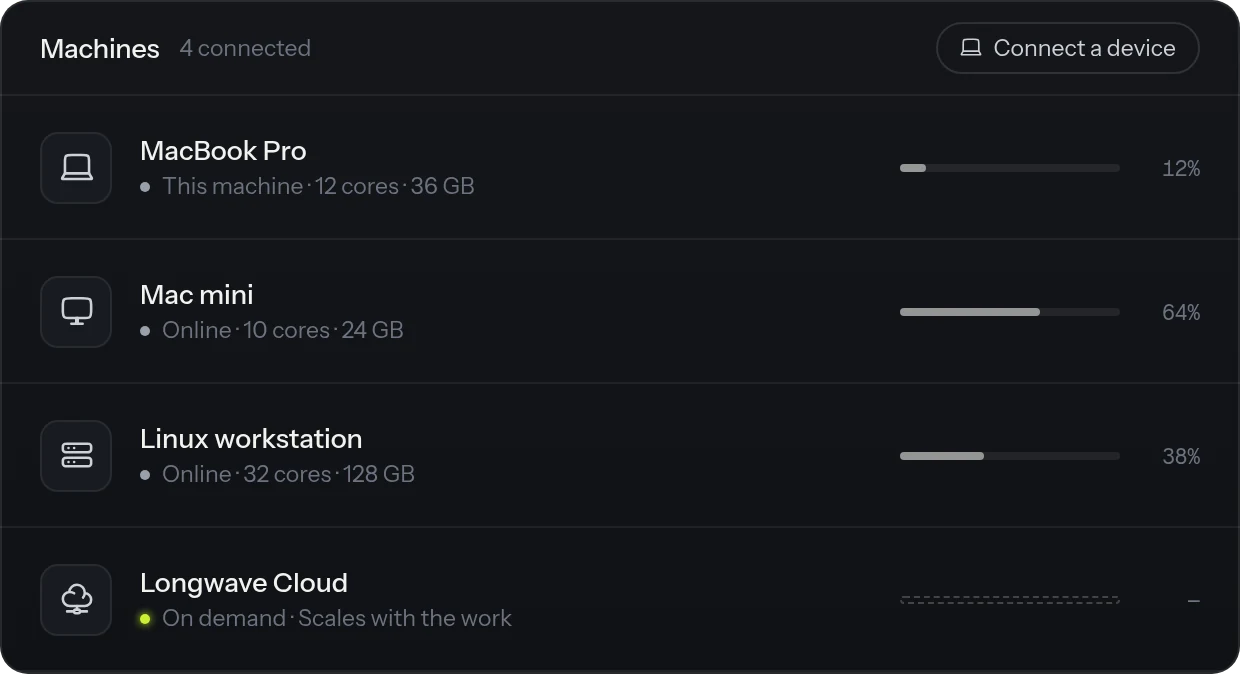
Smart routing of work
Longwave introduces an "Auto" mode to route work across your harnesses, threads and devices smartly. Gone are the days where you have to think twice about which model is best for the job, which device should be used for a specific task and whether you need to burn a bunch of tokens on one of your subscriptions before the next reset. Smart routing also strives to maximize existing context usage and token cache hits.
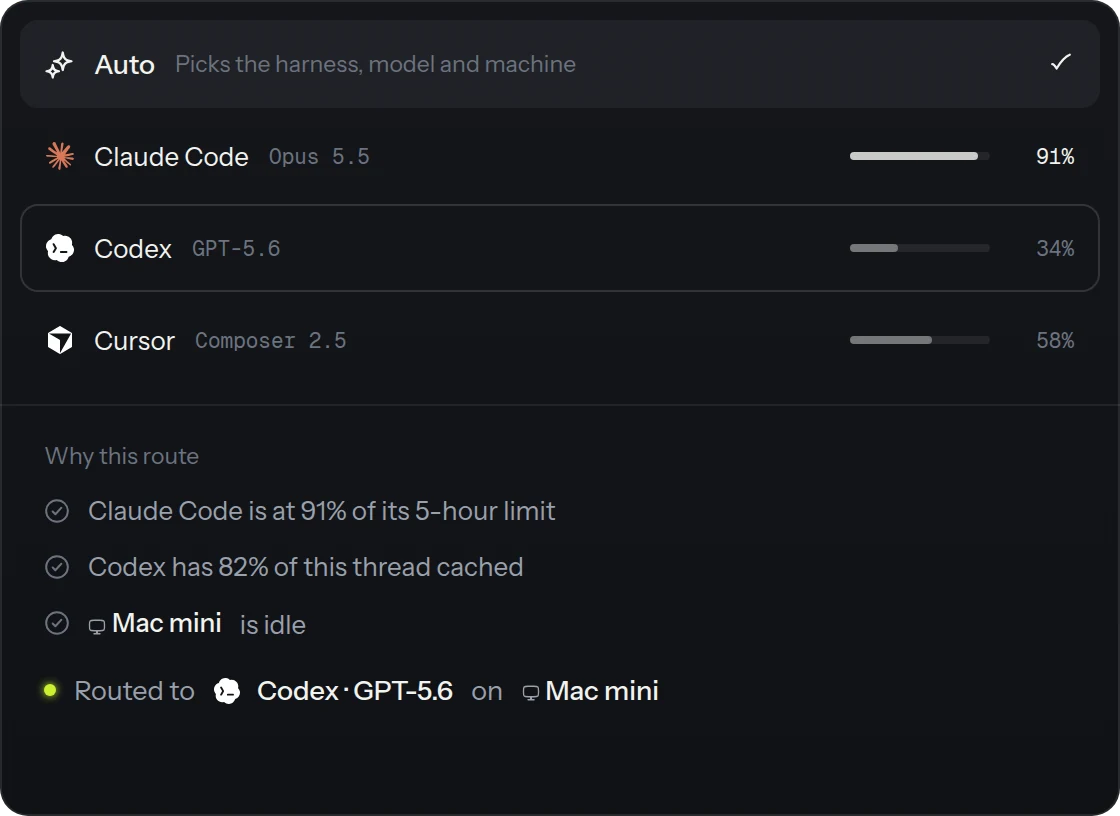
Offload computer use
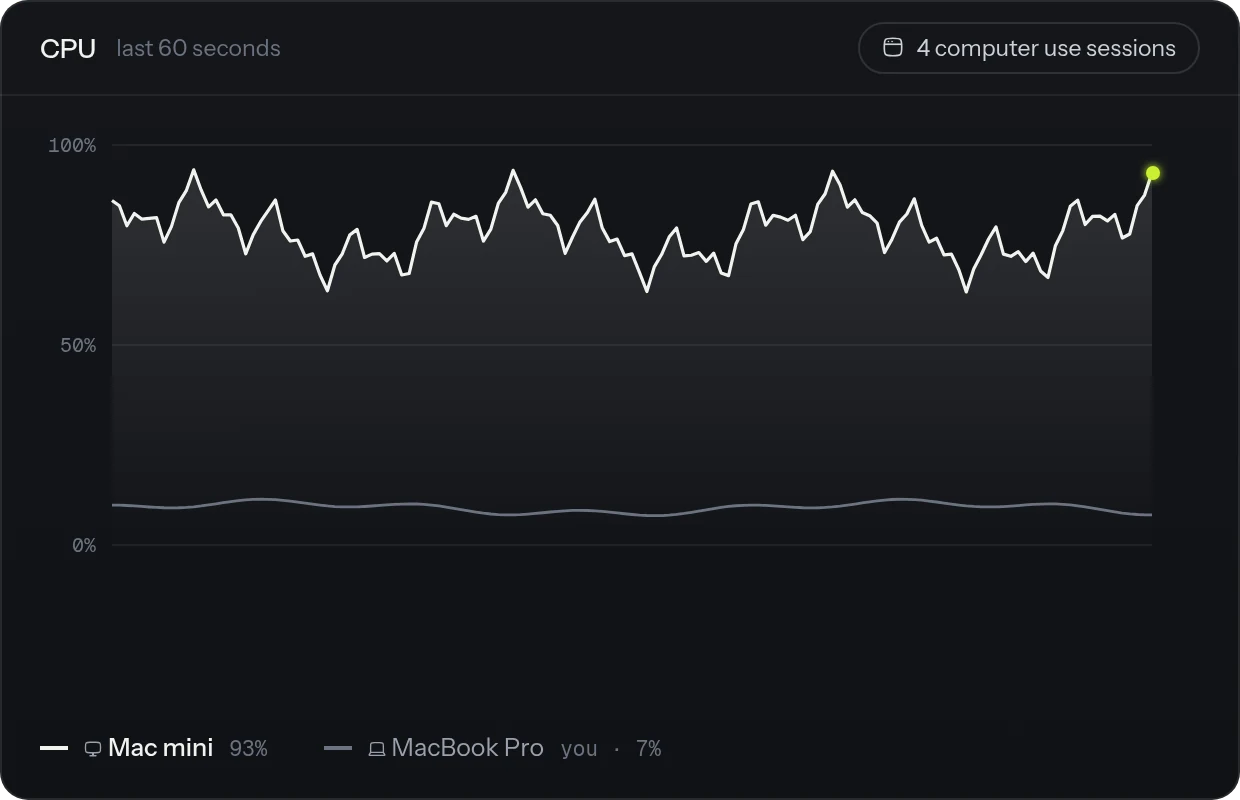
Computer use tasks are often CPU heavy and can cause your primary workstation to become unusable while it is being run especially if many of them are being run at the same time. In some cases, such as testing desktop or mobile applications, they are also dependent on the operating system. For eg, if you want to use computer use to test a mac app, you need a mac device to do it. It is advisable to offload computer use tasks away from your primary workstation to another connected device or Longwave Cloud.
Questions people ask
What are cloud agents?
Cloud agents run on a machine hosted by Longwave Cloud. Start a thread there when you want the work to continue without your own computer online. Follow the thread from Longwave on desktop, web, or mobile.
Can I self-host AI agents on my own machines?
Yes. Lite lets you run Longwave on machines you own, and your files stay there. Plus and Pro add Longwave Cloud capacity when you want a hosted machine.
Do agents keep working when I close my laptop?
A thread keeps running while its machine stays online. If your laptop sleeps or shuts down, work on that laptop stops. To keep work going, run the thread on Longwave Cloud or another machine that stays on.
Where does Longwave Cloud store my code?
Longwave Cloud stores the code, files, and other work for threads running there. Threads running on your own machines keep their files on those machines.
Can I run Claude Code on a Linux server I own?
Yes. Install the Longwave CLI on your Linux server, link it to your account, and enable machine access. Keep the server online, then choose it in Longwave to start and follow threads from your other devices.
Can I control a cloud agent from my phone?
Yes. Longwave Mobile lets you follow a thread, send a message, or respond to an approval. The agent runs on the cloud machine, so closing the mobile app does not stop its work.
How do I choose which machine runs an agent?
Choose a machine when you start a thread, or select Auto to let Longwave choose. The thread stays linked to that machine, while delegated work can run on other connected machines.
Is Longwave the same as using Claude Code over SSH or tmux?
No. SSH and tmux connect you to a server session. Longwave brings your own machines and Longwave Cloud into one app, where you can start and follow threads from desktop, web, or mobile.
Put every machine to work.
Start on the laptop you have. Add your other machines and Longwave Cloud as the work grows.